> For the complete documentation index, see [llms.txt](https://docs.flatredball.com/gum/llms.txt). Markdown versions of documentation pages are available by appending `.md` to page URLs; this page is available as [Markdown](https://docs.flatredball.com/gum/gum-tool/readme.md).
# Introduction
Gum is the best Game UI Layout tool available. It provides a flexible, efficient layout engine capable of producing virtually any layout. Gum can be used in a variety of contexts including in the [FlatRedBall game engine](https://docs.flatredball.com/gum/), [MonoGame](/gum/code/getting-started/setup/adding-initializing-gum/monogame-kni-fna.md), [raylib](/gum/code/getting-started/setup/adding-initializing-gum/raylib-raylib-cs.md), [Silk.NET](/gum/code/getting-started/setup/adding-initializing-gum/silk.net.md), and more. Gum can also be rendered on Skia so it can be used in any environment that supports Skia such as [WPF](/gum/code/getting-started/setup/adding-initializing-gum/wpf.md) and Avalonia.
The Gum layout engine can also be included in any .NET project without requiring the use of a particular graphical API.
To download the Gum UI tool and start building your UI, see the [Setup](/gum/gum-tool/setup.md) page.
### Powerful WYSIWYG Editor
Gum UI includes advanced layout functionality to create and preview your UI
Gum UI
### Object Oriented Design Focused on Reusable Controls
Gum allows the creation of components which can be instanced and customized in screens and other components
Gum Components
### Gum Objects Support Multiple Size and Position Units
Adjust an object’s origin, position units, size units, and stacking to create fluid UI
Position and Size Units
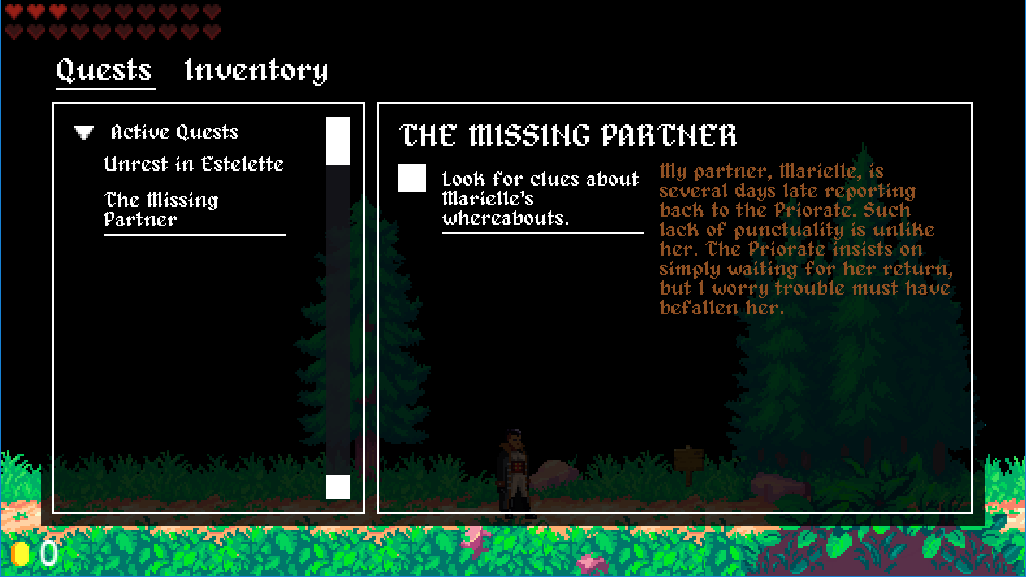
### Simple Integration - Gum Supports Many Runtimes
Grab the NuGet, add a few lines of code, see your Gum project in game! You can use Gum with MonoGame, KNI, FNA, raylib, Silk.NET, SkiaSharp, and many more platforms. For more information on our runtimes, see the [Getting Started](/gum/code/getting-started.md) page.
Gum UI in game
### Interact with Gum in Code
Gum objects can be created and modified in code. Create fully-featured UI by subscribing to common UI events.
```c#
void CustomInitialize()
{
MyButton.Click += HandleOkButtonClick;
}
private void HandleOkButtonClick(object sender, EventArgs args)
{
// do your logic here
}
```
### Time-Tested and Reliable
Gum has been used in commercial projects of all sizes - check them out in our [Showcase](/gum/gum-tool/showcase.md) page.
### Need Help?
Gum is actively maintained and provides lots of ways to get answers:
* Check the rest of the documentation
* Join the [Discord chat](https://discord.gg/EvqwmSQuBz) (shared discord with FlatRedBall)
* Create an [issue on Github](https://github.com/vchelaru/Gum/issues)
---
# Agent Instructions
This documentation is published with GitBook. GitBook is the documentation platform designed so that both humans and AI agents can read, navigate, and reason over technical content effectively. Learn more at gitbook.com.
## Querying This Documentation
If you need additional information that is not directly available in this page, you can query the documentation by asking a question.
Perform an HTTP GET request on the following URL with the `ask` and `goal` query parameters:
```
GET https://docs.flatredball.com/gum/gum-tool/readme.md?ask=&goal=
```
`ask` is the immediate question: it should be specific, self-contained, and written in natural language.
`goal` is what the user is ultimately trying to achieve, the reason they need the answer. Sharing it helps GitBook give you a better, more relevant answer. A goal is most helpful when it describes the outcome the user wants rather than restating the question. For example, with `ask=how do I create an API token`, a goal like `automate deployments from our CI pipeline` lets GitBook tailor the answer to that use case.
The response will contain a direct answer to the question and relevant excerpts and sources from the documentation.
Use this mechanism when the answer is not explicitly present in the current page, you need clarification or additional context, or you want to retrieve related documentation sections.