> For the complete documentation index, see [llms.txt](https://docs.flatredball.com/gum/llms.txt). Markdown versions of documentation pages are available by appending `.md` to page URLs; this page is available as [Markdown](https://docs.flatredball.com/gum/code/controls/window.md).
# Window
## Introduction
Window is a forms control which can be moved and resized with the cursor. It can be used for movable UI such as an inventory popup, or for floating toolbars in game editors and tools.
## Code Example
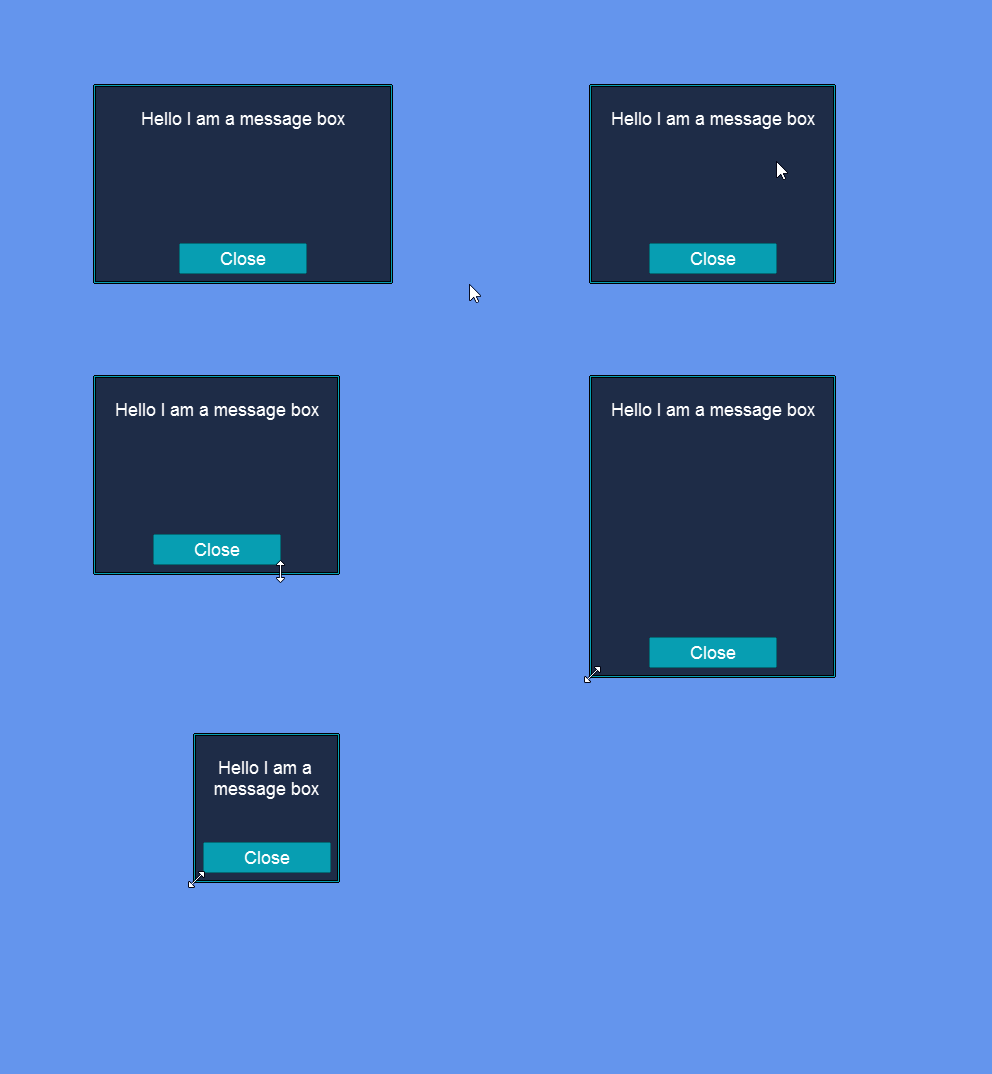
The following code creates a message box window.
```csharp
// Initialize
var window = new Window();
window.Anchor(Gum.Wireframe.Anchor.Center);
window.Width = 300;
window.Height = 200;
window.AddToRoot();
var textInstance = new Label();
textInstance.Dock(Gum.Wireframe.Dock.Top);
textInstance.Y = 24;
textInstance.Text = "Hello I am a message box";
window.AddChild(textInstance);
var button = new Button();
button.Anchor(Gum.Wireframe.Anchor.Bottom);
button.Y = -10;
button.Text = "Close";
window.AddChild(button);
button.Click += (_, _) =>
{
window.RemoveFromRoot();
};
```
[Try on XnaFiddle.NET](https://xnafiddle.net/#snippet=H4sIAAAAAAAACn2RTWvCQBCG74L_YcgpUhvsx6mSgqa0BnqSgAgB2SRTs7i7UzYbIxX_ezcfaGpL9zbPvDvzsHscDgCcsHgrpfMERpc4bghX3HAm-Bda7OyZhoqrjCrwQWEFq6ZwR9NYtdybqTQn7do53opr_NBMYge9AJVB3QuveGZyO-phMrnABfJtbiy979NZlkW0JDLNsljVKgYPJlSFYSrFTuidJSiaSL_pvVC6u3KqkRfR56_sul79eE0jW9hG7CxQCIIQmAQGEouCbRESOsTOD9kg5yJz-yMu3klpDKnOeN4UjXLL_33COdmI7IVr29u7-qE6cBYNBBX4p1Wb7A0JBE93cOODuxnDZgT-c6yOsQJ7urtLlLTHV03y_AenqTMcnL4BEzWh8zkCAAA)
Window responding to move and resize actions
## Setting Title Text
The Window control does not have a built-in `Title` property. The title bar area (`TitleBarInstance`) is a Panel used for dragging, so adding title text requires placing a Label inside it. The following code adds a centered title Label to the title bar.
```csharp
using Gum.Forms.DefaultVisuals.V3;
// Initialize
var window = new Window();
window.Anchor(Gum.Wireframe.Anchor.Center);
window.Width = 300;
window.Height = 200;
window.AddToRoot();
var windowVisual = (WindowVisual)window.Visual;
var titleLabel = new Label();
titleLabel.Dock(Gum.Wireframe.Dock.Fill);
titleLabel.Visual.YOrigin = RenderingLibrary.Graphics.VerticalAlignment.Center;
titleLabel.Visual.Y = 0;
titleLabel.Visual.YUnits = Gum.Converters.GeneralUnitType.PixelsFromMiddle;
titleLabel.Text = "My Window";
windowVisual.TitleBarInstance.AddChild(titleLabel);
```
[Try on XnaFiddle.NET](https://xnafiddle.net/#snippet=H4sIAAAAAAAACm1RTWsCMRC9F_wPS04rlCD1VunBKlpBaZGtUro9xM24OzSbyCTrR0v_e7MfdK14y7z35s3kzXfnJgjYzE6LnN0Hjgq4rZDCok6th96Zp_jEUG75GLaiUG6FthDK8lWffdRq1OhQKPwC38H2goIDamkOwUOg4RCsqyLsDmJd43yok8xQWFqvkWBLIocG5CPQDuhMvEbpMm_V7_Va8AkwzZxH787RoZSRWRrjqmGxblepl_b6cH1Wd5u-uhrUDQ6dgrnYgGr2r96VY0vxsUk-Lz5QQnyCSl1Ia3f-9kyYovamS9ASyCc8xw0JOvEpiV2Gic8UyGEi1FBhqnOfRBPHdUNvVX7-CvPqL2I9XS44MnrvbYEsn4IGEqpko9MO-AseQdkJmXyBUir4bxbBsUw4ZotTc8OY_WXdTIpK-aOgmbZO6MRfUcpRhkqGrVF3wDo3P7-mtNJOawIAAA)
{% hint style="info" %}
Note that `AddChild` on a Window adds children to the inner content area below the title bar. To add a Label to the title bar itself, add it to `TitleBarInstance` as shown above.
{% endhint %}
## Preventing Sizing and Moving
Resizing can be disabled by setting a Window's `ResizeMode` to `ResizeMode.NoResize`. By default this value is set to `ResizeMode.CanResize`. Note that the ResizeMode property does not affect whether a window can be moved by its title bar.
Window movement and resizing can be restricted by removing or modifying the IsEnabled property on the edges and corners of the window. By default each Window instance contains nine children which are used to resize and move the window. The items have the following names:
* TitleBarInstance (moves the entire window)
* BorderTopLeftInstance
* BorderTopRightInstance
* BorderBottomLeftInstance
* BorderBottomRightInstance
* BorderTopInstance
* BorderBottomInstance
* BorderLeftInstance
* BorderRightInstance
Any of these objects can be disabled to prevent the user from moving or resizing a window.
Note that changing any of these values will not update the visual appearance of the Window. These values only control the behavior of the control. Any changes to appereance must be either performed through the Visual object, or by creating a custom Window implementation.
## Code Example: Disabling Resizing with ResizeMode
The following code disabled resizing by setting ResizeMode:
```csharp
// Initialize
var window = new Window();
window.AddToRoot();
window.ResizeMode = Gum.Forms.ResizeMode.NoResize;
```
[Try on XnaFiddle.NET](https://xnafiddle.net/#snippet=H4sIAAAAAAAACqvmUlBQ8ix2L81VslIoKSpN1QEJZOZllmQm5mRWpQJFlcoSixTKM_NS8ssVbBXyUssVwsEcDU3rmDyIuJ5jSkpIflB-fgmyYFBqMdAE3_yUVKA-BEfPLx_CsVbiquUCAI5YsKWBAAAA)
## Code Example: Forced Docking
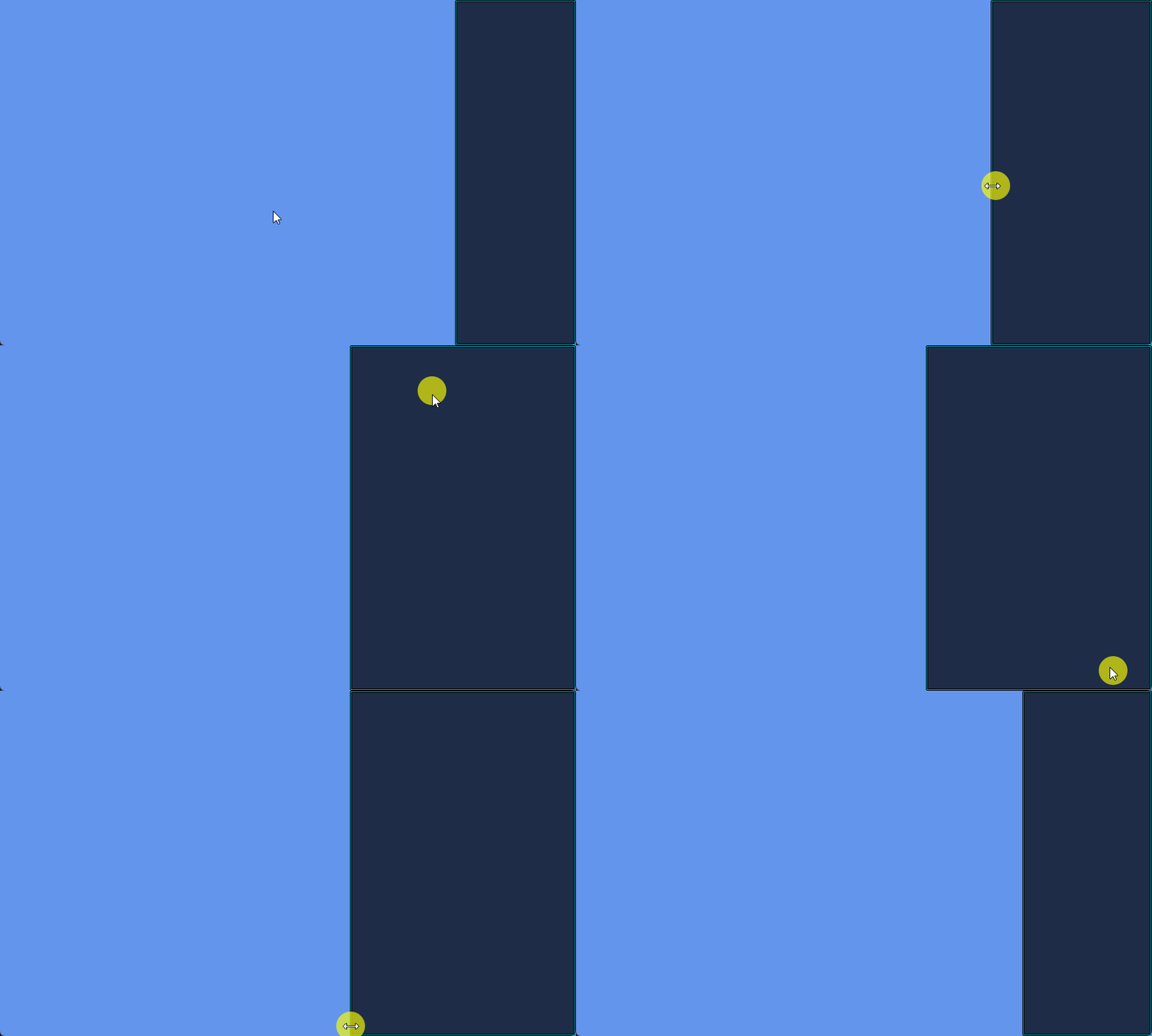
The following code shows how to force dock a window to the right side of the screen. The user can still resize the window horizontally by grabbing the left edge of the window since the left side has not been disabled.
{% tabs %}
{% tab title="Code-only" %}
```csharp
using Gum.Forms.DefaultVisuals.V3;
```
```csharp
// Initialize
var window = new Window();
window.AddToRoot();
window.Dock(Gum.Wireframe.Dock.Right);
var windowVisual = (WindowVisual)window.Visual;
// make it so the user cannot resize or move the window
// except for horizontally:
windowVisual.TitleBarInstance.IsEnabled = false;
windowVisual.BorderTopLeftInstance.IsEnabled = false;
windowVisual.BorderTopRightInstance.IsEnabled = false;
windowVisual.BorderBottomLeftInstance.IsEnabled = false;
windowVisual.BorderBottomRightInstance.IsEnabled = false;
windowVisual.BorderTopInstance.IsEnabled = false;
windowVisual.BorderBottomInstance.IsEnabled = false;
windowVisual.BorderRightInstance.IsEnabled = false;
```
[Try on XnaFiddle.NET](https://xnafiddle.net/#snippet=H4sIAAAAAAAAA52PQUvDQBCF_0qYUwplL94iPRiqEvBUQnNQD2t30g5udsrurAHF_-42K1q8SHN8j_nee_MBTbiPA1TiIy4hBnL7ANUjJFPdsR-CWmOvo5UthahtUNsreF4CORLSlt4RKnjTvhjJGR6LVeFwLLpJlIvrJ5d9dWNMyxtmOTfXvHstT0Udeey9HnCy1Ib2Bznd_Qbn9hRfdmd68R2U1U9wlqolsVhr37gg2u1QNeHW6ReLJuX06Rf8S9TsDfqWjw_YywxsGn4pV7MID3MaMzmrNI2d13Yp9d86-PwCD4OhIIMCAAA)
{% endtab %}
{% tab title="General" %}
```csharp
// Initialize
var window = new Window();
window.AddToRoot();
window.Dock(Gum.Wireframe.Dock.Right);
// make it so the user cannot resize or move the window
// except for horizontally:
window.GetFrameworkElement("TitleBarInstance").IsEnabled = false;
window.GetFrameworkElement("BorderTopLeftInstance").IsEnabled = false;
window.GetFrameworkElement("BorderTopRightInstance").IsEnabled = false;
window.GetFrameworkElement("BorderBottomLeftInstance").IsEnabled = false;
window.GetFrameworkElement("BorderBottomRightInstance").IsEnabled = false;
window.GetFrameworkElement("BorderTopInstance").IsEnabled = false;
window.GetFrameworkElement("BorderBottomInstance").IsEnabled = false;
window.GetFrameworkElement("BorderRightInstance").IsEnabled = false;
```
[Try on XnaFiddle.NET](https://xnafiddle.net/#snippet=H4sIAAAAAAAAA62PMQuDMBBG_4pkUigijpYOlbYidBLBxSU1ZxtMciWeFVr632t1cXTImJfj8b4Py_ts0CwhO8COSSNJciXfwBL24tYbpRE4egfPwOhV88MP9rVZeHgUosQCkdbwhE3nT9KwkhZayzXMKCzk_UGruwzo8v8d0XZnBRoM-fUQRXFcSlKQcpubnrhpYKFBmPdnw28KxBTUctXDFlmKVoAt8XmFltwa50UOlSkSoXbcuUhdp07rnTc6FG6cy74_Ts_NlgEDAAA)
{% endtab %}
{% endtabs %}
Window resizing only from the left edge
Each individual border and title bar instance can be independently disabled to customize the resize/movement behavior. For example, the following line is specifically responsible for disabling the ability to move the window:
```csharp
// Initialize
window.GetFrameworkElement("TitleBarInstance").IsEnabled = false;
```
---
# Agent Instructions
This documentation is published with GitBook. GitBook is the documentation platform designed so that both humans and AI agents can read, navigate, and reason over technical content effectively. Learn more at gitbook.com.
## Querying This Documentation
If you need additional information that is not directly available in this page, you can query the documentation by asking a question.
Perform an HTTP GET request on the following URL with the `ask` and `goal` query parameters:
```
GET https://docs.flatredball.com/gum/code/controls/window.md?ask=&goal=
```
`ask` is the immediate question: it should be specific, self-contained, and written in natural language.
`goal` is what the user is ultimately trying to achieve, the reason they need the answer. Sharing it helps GitBook give you a better, more relevant answer. A goal is most helpful when it describes the outcome the user wants rather than restating the question. For example, with `ask=how do I create an API token`, a goal like `automate deployments from our CI pipeline` lets GitBook tailor the answer to that use case.
The response will contain a direct answer to the question and relevant excerpts and sources from the documentation.
Use this mechanism when the answer is not explicitly present in the current page, you need clarification or additional context, or you want to retrieve related documentation sections.