> For the complete documentation index, see [llms.txt](https://docs.flatredball.com/gum/llms.txt). Markdown versions of documentation pages are available by appending `.md` to page URLs; this page is available as [Markdown](https://docs.flatredball.com/gum/code/gum-code-reference/gumservice-gumui/modalroot-and-popuproot.md).
# ModalRoot and PopupRoot
### Introduction
The static `ModalRoot` and `PopupRoot` properties provide an `InteractiveGue` which serve as the root for any element which should appear on top of other elements. These properties have the following characteristics:
* Automatically created by `GumUI.Initialize`
* Automatically resized to fit the entire screen, including if the `GraphicalUiElement.CanvasHeight` and `GraphicalUiElement.CanvasWidth` change.
* Both remain on top of all other elements for its given layer. ModalRoot appears on top of PopupRoot.
These properties can be used in custom code to place elements (such as custom popup and toast elements) above all other elements.
`ModalRoot` and `PopupRoot` act as alternative root objects which can hold controls. Controls which are added to either of these two roots should not be added to the default GumService `Root` property - doing so would result in a control being drawn and updated twice per frame.
### Modal Popups
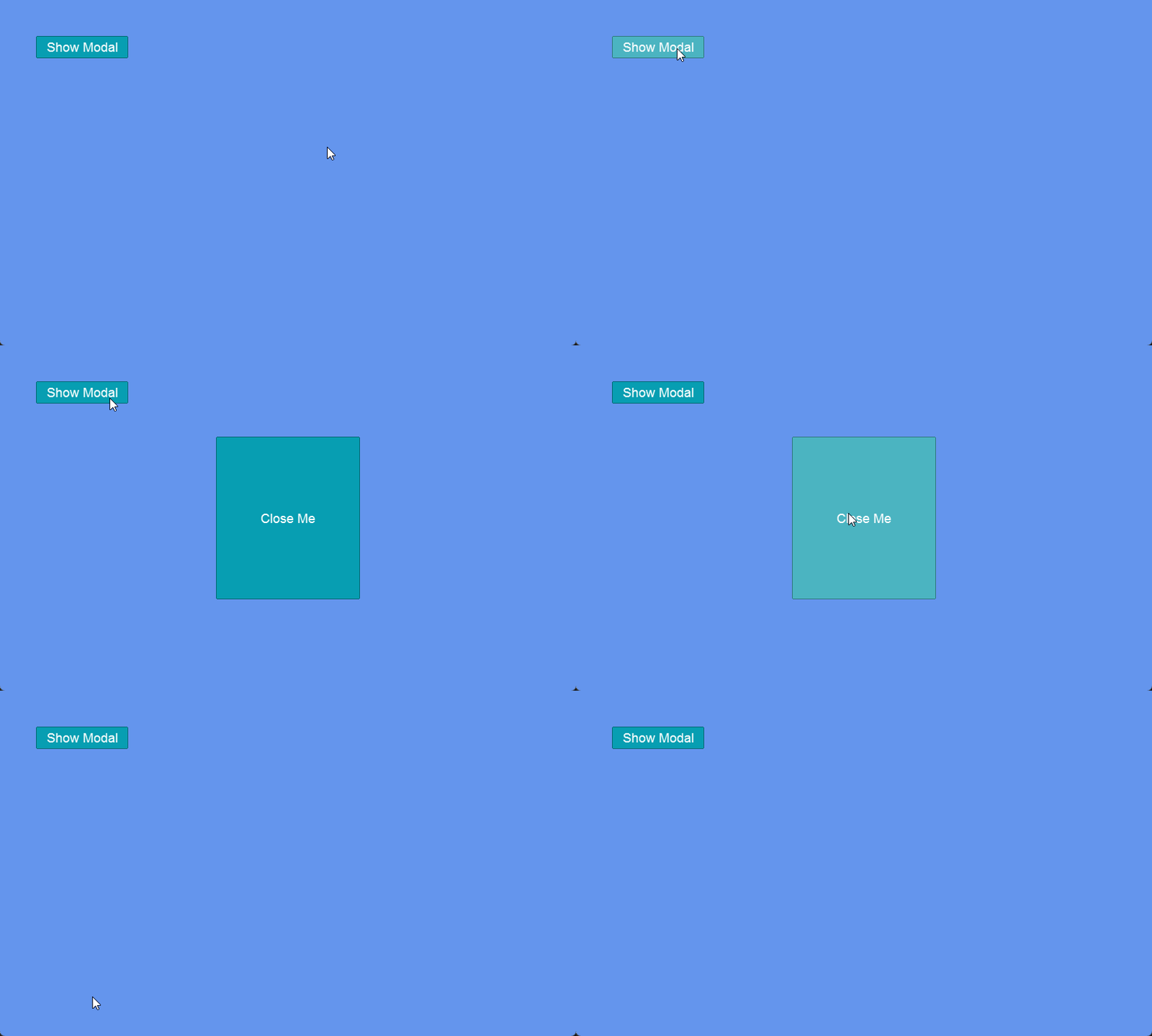
Popups which are placed on the ModalRoot element are considered *modal* - they block the input of all other controls. This is useful if you would like to create a popup which must be clicked before any other elements receive input. If multiple elements are added to ModalRoot, only the last item (and its children) receive input events. This allows one popup to show another popup.
By contrast, elements added to the PopupRoot are not modal - other elements can receive input.
### Example - Adding a Popup
The following code can be used to display a popup to either ModalRoot or PopupRoot depending on the `isModal` value.
```csharp
// Initialize
var popupButton = new Button();
popupButton.AddToRoot();
popupButton.Y = 50;
popupButton.X = 50;
popupButton.Text = "Show Modal";
popupButton.Click += (_, _) =>
{
ShowPopup("Close me", isModal: true);
};
void ShowPopup(string text, bool isModal)
{
var container = isModal ?
GumService.Default.ModalRoot : GumService.Default.PopupRoot;
var button = new Button();
button.Text = "Close Me";
button.Width = 200;
button.Height = 200;
var buttonVisual = button.Visual;
buttonVisual.YOrigin = RenderingLibrary.Graphics.VerticalAlignment.Center;
buttonVisual.YUnits = global::Gum.Converters.GeneralUnitType.PixelsFromMiddle;
buttonVisual.XOrigin = RenderingLibrary.Graphics.HorizontalAlignment.Center;
buttonVisual.XUnits = global::Gum.Converters.GeneralUnitType.PixelsFromMiddle;
container.Children.Add(button.Visual);
button.Click += (_, _) =>
{
buttonVisual.RemoveFromManagers();
buttonVisual.Parent = null;
};
}
```
Modal popup button blocks all other UI when it is shown
### Example - Adding a Popup from Gum Element
Popups can also be created if your game is loading a Gum project. Since the GraphicalUiElement will be added to either ModalRoot or PopupRoot, it should not also be added to managers.
```csharp
// Initialize
var popupComponent = gumProject.Components.First(item => item.Name == "MyPopup")
.ToGraphicalUiElement();
popupComponent.Parent = GumService.Default.ModalRoot;
// later, the popup can be removed:
popupComponent.RemoveFromManagers();
popupComponent.Parent = null;
```
If you are going to add a Screen to a ModalRoot, then the Screen must have a renderable contained object so that it can have its Parent assigned. You can do this by creating a Screen runtime which inherits from ContainerBase, or you can optionally add an InvisibleRenderable as shown in the following code:
```csharp
// Initialize
var popupScreen = gumProject.Screens.First(item => item.Name == "MyScreen")
.ToGraphicalUiElement();
popupScreen.Parent = GumService.Default.ModalRoot;
// later, the popup can be removed:
popupScreen.RemoveFromManagers();
popupScreen.Parent = null;
```
---
# Agent Instructions
This documentation is published with GitBook. GitBook is the documentation platform designed so that both humans and AI agents can read, navigate, and reason over technical content effectively. Learn more at gitbook.com.
## Querying This Documentation
If you need additional information that is not directly available in this page, you can query the documentation by asking a question.
Perform an HTTP GET request on the following URL with the `ask` and `goal` query parameters:
```
GET https://docs.flatredball.com/gum/code/gum-code-reference/gumservice-gumui/modalroot-and-popuproot.md?ask=&goal=
```
`ask` is the immediate question: it should be specific, self-contained, and written in natural language.
`goal` is what the user is ultimately trying to achieve, the reason they need the answer. Sharing it helps GitBook give you a better, more relevant answer. A goal is most helpful when it describes the outcome the user wants rather than restating the question. For example, with `ask=how do I create an API token`, a goal like `automate deployments from our CI pipeline` lets GitBook tailor the answer to that use case.
The response will contain a direct answer to the question and relevant excerpts and sources from the documentation.
Use this mechanism when the answer is not explicitly present in the current page, you need clarification or additional context, or you want to retrieve related documentation sections.