> For the complete documentation index, see [llms.txt](https://docs.flatredball.com/gum/llms.txt). Markdown versions of documentation pages are available by appending `.md` to page URLs; this page is available as [Markdown](https://docs.flatredball.com/gum/code/rendering/gumbatch.md).

# GumBatch

### Introduction

GumBatch is an object which supports *immediate mode* rendering, similar to MonoGame's SpriteBatch. GumBatch can support rendering text with DrawString as well as any IRenderableIpso.

For information on getting your project set up to use GumBatch — including how to wire up KernSmith so you do not need to ship any `.fnt` files — see the [Setup for GumBatch](/gum/code/getting-started/setup/setup-for-gumbatch.md) page.

{% hint style="info" %}
GumBatch draws only what you pass it. In some cases controls may create additional controls on the popup layer, such as ComboBox and Tooltip. If your UI includes these controls, you may need to also draw your popup layers, as shown in the following code:

```csharp
// Draw
Core.GumBatch.Begin();
Core.GumBatch.Draw(YourCustomObjects);
// Now draw the popup root so popups show up
Core.GumBatch.Draw(GumService.Default.PopupRoot);
Core.GumBatch.End();
```

{% endhint %}

### Relationship with the Camera

GumBatch draws through the same `Camera` as the rest of Gum — the one at `GumService.Default.Renderer.Camera`. It does **not** ignore the camera: the camera's `Zoom`, `Position` (`X` and `Y`), and `CameraCenterOnScreen` all apply to everything you draw between `Begin` and `End`. So if you zoom the camera to handle a window resize (see [Resolution and Resizing the Game Window](/gum/code/layout/resizing-the-game-window.md)), your GumBatch output zooms along with the rest of your UI.

`Begin` also refreshes the camera's client dimensions from the current `GraphicsDevice.Viewport` on every call, so GumBatch always matches the live viewport size.

`Begin` accepts an optional transform: `Begin(Matrix)`. This matrix **composes on top of** the camera transform rather than replacing it — the effective transform is your matrix multiplied with the camera's view.

{% hint style="warning" %}
Because the matrix composes on top of the camera, setting `Camera.Zoom` to a non-default value **and** passing a scaling matrix to `Begin(Matrix)` applies the scale twice. Drive scaling from a single source: either leave the matrix off and use `Camera.Zoom`, or pass a matrix and keep `Camera.Zoom` at `1`.
{% endhint %}

### Rendering TextRuntimes

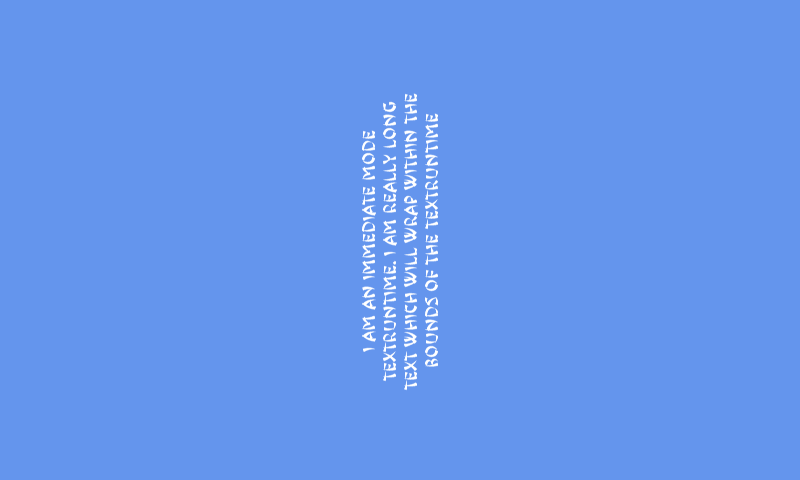
The most flexible way to draw text with GumBatch is to create a `TextRuntime`. TextRuntimes support all of Gum's layout rules — wrapping, alignment, rotation, sizing — and integrate with Gum's font system so you can set `Font` and `FontSize` directly and let KernSmith create the atlas on demand.

The following code shows how to create a `TextRuntime` and render it using GumBatch:

```csharp
// Class scope
TextRuntime textRuntime;

protected override void Initialize()
{
    // This assumes CustomSetPropertyOnRenderable.InMemoryFontCreator
    // has already been assigned to a KernSmithFontCreator — see the
    // Setup for GumBatch page.
    textRuntime = new TextRuntime();
    textRuntime.Font = "Arial";
    textRuntime.FontSize = 16;
    textRuntime.Text =
        "I am an immediate mode TextRuntime. I am really long text which will wrap within the bounds of the TextRuntime";
    textRuntime.X = 0;
    textRuntime.XUnits = Gum.Converters.GeneralUnitType.PixelsFromMiddle;
    textRuntime.XOrigin = HorizontalAlignment.Center;

    textRuntime.Y = 0;
    textRuntime.YUnits = Gum.Converters.GeneralUnitType.PixelsFromMiddle;
    textRuntime.YOrigin = VerticalAlignment.Center;

    textRuntime.HorizontalAlignment = HorizontalAlignment.Center;
    textRuntime.VerticalAlignment = VerticalAlignment.Center;

    textRuntime.Width = 300;
    textRuntime.WidthUnits = Gum.DataTypes.DimensionUnitType.Absolute;
    textRuntime.Height = 0;
    textRuntime.HeightUnits = Gum.DataTypes.DimensionUnitType.RelativeToChildren;

    textRuntime.Rotation = 90;
}

protected override void Draw(GameTime gameTime)
{
    gumBatch.Begin();
    gumBatch.Draw(textRuntime);
    gumBatch.End();
}
```

<figure><img src="/files/OD3RjqS8k2vZyYkFV3wR" alt=""><figcaption><p>Rendering a TextRuntime in immediate mode with GumBatch</p></figcaption></figure>

If you would rather load a specific `.fnt` file instead of using KernSmith, set `UseCustomFont = true` and assign `CustomFontFile` to the path of the `.fnt` file. See [Custom Font File](/gum/code/files-and-fonts/fonts/font-strategies.md#custom-font-file) for details.

### Rendering Strings

GumBatch can also render strings directly via `DrawString`. This is a lower-level API than `TextRuntime` — it does not support layout, wrapping, or rotation — but the call shape matches `SpriteBatch.DrawString` and is convenient for quick HUD-style text.

`DrawString` takes a `BitmapFont`. The recommended way to obtain one is to ask KernSmith for it directly:

```csharp
// Class scope
BitmapFont font;

protected override void Initialize()
{
    // After CustomSetPropertyOnRenderable.InMemoryFontCreator has been
    // assigned (see Setup for GumBatch), you can ask it for a BitmapFont
    // at any font/size combination, with no files on disk:
    font = CustomSetPropertyOnRenderable.InMemoryFontCreator
        .TryCreateFont(new BmfcSave
        {
            FontName = "Arial",
            FontSize = 18,
        });
}
```

The following code renders a string at X = 100, Y = 200:

```csharp
// Draw
gumBatch.Begin();
gumBatch.DrawString(
    font,
    "I am at X=100, Y=200",
    new Vector2(100, 200),
    Color.White);
gumBatch.End();
```

<figure><img src="/files/zYbt57zRy91hbx36Kz0Q" alt=""><figcaption><p>A single text object rendered using DrawString</p></figcaption></figure>

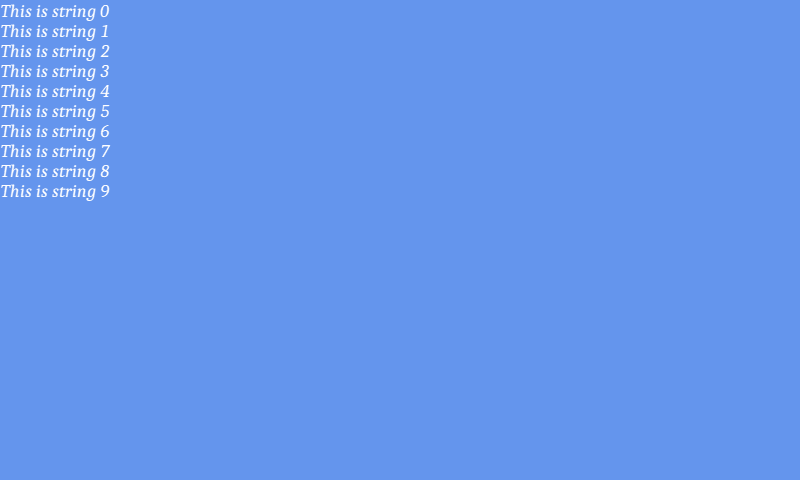
Multiple strings can be rendered between `Begin` and `End` calls:

```csharp
// Draw
gumBatch.Begin();
for(int i = 0; i < 10; i++)
{
    gumBatch.DrawString(
        font,
        $"This is string {i}",
        new Vector2(0, 20*i),
        Color.White);

}
gumBatch.End();
```

<figure><img src="/files/Y1NXKz6W9ExkNAH4bGJC" alt=""><figcaption><p>Multiple DrawString calls between Begin and End</p></figcaption></figure>

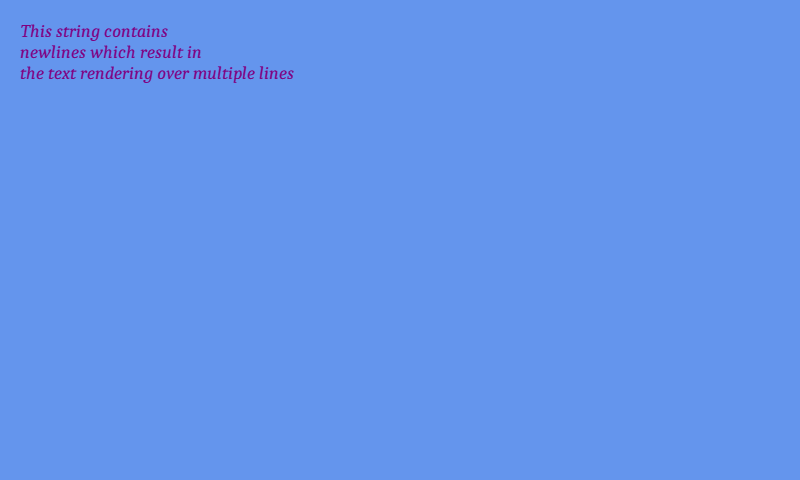
DrawString can accept newlines and color the text:

```csharp
// Draw
gumBatch.Begin();
gumBatch.DrawString(
    font,
    $"This string contains\nnewlines which result in\nthe text rendering over multiple lines",
    new Vector2(20, 20),
    Color.Purple);
gumBatch.End();
```

<figure><img src="/files/RhSbcuZAcWiy38p9xw67" alt=""><figcaption><p>Colored text with newlines</p></figcaption></figure>

If you would rather load a pre-built `.fnt` file instead of generating with KernSmith, you can construct a `BitmapFont` directly:

```csharp
// Initialize
font = new BitmapFont("Fonts/Font18Caladea.fnt", SystemManagers.Default);
```

This is useful when you have a hand-tuned font atlas (for example one produced by the Gum tool's FontCache or by an external tool such as bmfont). See [File Loading](/gum/code/files-and-fonts/file-loading.md) for the file resolution rules.

### Rendering Parent/Child Hierarchy

GumBatch.Draw renders any argument renderable object. If the object has children, then the Draw call performs a hierarchical draw, respecting the parent/child relationship to control draw order.

For example, the following code creates a parent ColoredRectangleRuntime and a child TextRuntime:

Since the Draw call is only called on the Parent, then only the Parent reference is kept at class scope:

```csharp
// Class scope
ColoredRectangleRuntime buttonRectangle;

protected override void Initialize()
{
    // It's possible to create a runtime object...
    buttonRectangle = new ColoredRectangleRuntime();
    buttonRectangle.Width = 128;
    buttonRectangle.Height = 32;
    buttonRectangle.Color = Color.DarkBlue;
    buttonRectangle.X = 0;
    buttonRectangle.Y = 100;
    // ... and add children to it:
    var buttonText = new TextRuntime();
    buttonText.Text = "Button text";
    buttonText.X = 0;
    buttonText.Y = 0;
    buttonText.Width = 0;
    buttonText.Height = 0;
    buttonText.XUnits = Gum.Converters.GeneralUnitType.PixelsFromMiddle;
    buttonText.YUnits = Gum.Converters.GeneralUnitType.PixelsFromMiddle;
    buttonText.XOrigin = HorizontalAlignment.Center;
    buttonText.YOrigin = VerticalAlignment.Center;
    buttonText.HorizontalAlignment = HorizontalAlignment.Center;
    buttonText.VerticalAlignment = VerticalAlignment.Center;
    buttonText.WidthUnits = Gum.DataTypes.DimensionUnitType.RelativeToParent;
    buttonText.HeightUnits = Gum.DataTypes.DimensionUnitType.RelativeToParent;
    buttonRectangle.Children.Add(buttonText);
}

protected override void Draw(GameTime gameTime)
{
    // The draw call is only performed on the buttonRectangle - the children
    // (buttonText) are drawn automatically:
    gumBatch.Begin();
    gumBatch.Draw(buttonRectangle);
    gumBatch.End();
}
```

<figure><img src="/files/QEDbiCHoVXcUqcG8EJpe" alt=""><figcaption><p>buttonRectangle drawn with its child buttonText</p></figcaption></figure>

### Mixing with SpriteBatch

GumBatch wraps an internal `SpriteBatch` and exposes it through the `SpriteBatch` property. This lets you issue your own SpriteBatch draw calls between `GumBatch.Begin` and `GumBatch.End` without managing a second batch — both your draws and Gum's draws land in the same batch, so they share sort order, blend state, and transform matrix.

This is useful when you want to draw a few of your own textures alongside Gum's immediate-mode output without paying for two Begin/End pairs.

```csharp
// Draw
gumBatch.Begin();

// Your own SpriteBatch draw, sharing the batch Gum is using:
gumBatch.SpriteBatch.Draw(
    myTexture,
    new Vector2(50, 50),
    Color.White);

// Gum draws into the same batch:
gumBatch.Draw(someGumObject);

gumBatch.End();
```

The underlying `SpriteBatch` instance is stable for the lifetime of the GumBatch — Gum may mutate its state (clip regions, blend, transform) but never swaps the instance — so it is safe to cache the reference if you want.

{% hint style="warning" %}
You are sharing a batch with Gum, so any state you change on the SpriteBatch directly (e.g. by calling `End` and re-issuing `Begin` with different parameters) will affect subsequent Gum draws. If you need independent state, use your own separate SpriteBatch instead.
{% endhint %}

### RenderTargets

GumBatch can be used to render Gum objects on RenderTarget2Ds, just like regular SpriteBatch calls.

The following code shows how to render on a RenderTarget:

```csharp
// Draw
// Assuming MyRenderTarget is a valid render target:
GraphicsDevice.SetRenderTarget(MyRenderTarget);
gumBatch.Begin();
gumBatch.Draw(SomeGumObject);
gumBatch.End();

// now set the render target to null to draw it to screen:
GraphicsDevice.SetRenderTarget(null);
spriteBatch.Draw(MyRenderTarget, new Vector2(0, 0), Color.White);
```

Note that if you are rendering multiple objects on a render target, the BlendState must be set as to add the transparency. Using the default BlendState may result in alpha being "removed" from the render target when new instances are drawn.

The following shows how to create a BlendState for objects which have partial transparency and are to be drawn on RenderTargets:

```csharp
// Initialize
var blendState = new BlendState();

blendState.ColorSourceBlend = BlendState.NonPremultiplied.ColorSourceBlend;
blendState.ColorDestinationBlend = BlendState.NonPremultiplied.ColorDestinationBlend;
blendState.ColorBlendFunction = BlendState.NonPremultiplied.ColorBlendFunction;

blendState.AlphaSourceBlend = Blend.SourceAlpha;
blendState.AlphaDestinationBlend = Blend.DestinationAlpha;
blendState.AlphaBlendFunction = BlendFunction.Add;

halfTransparentRectangle.BlendState = blendState;
```


---

# Agent Instructions
This documentation is published with GitBook. GitBook is the documentation platform designed so that both humans and AI agents can read, navigate, and reason over technical content effectively. Learn more at gitbook.com.

## Querying This Documentation
If you need additional information that is not directly available in this page, you can query the documentation dynamically by asking a question.

Perform an HTTP GET request on the current page URL with the `ask` query parameter, and the optional `goal` query parameter:

```
GET https://docs.flatredball.com/gum/code/rendering/gumbatch.md?ask=<question>&goal=<endgoal>
```

`ask` is the immediate question: it should be specific, self-contained, and written in natural language.
`goal` is optional and describes the broader end goal you are ultimately trying to accomplish on behalf of the user. GitBook uses it to tailor the answer towards what is most useful for that goal.

The response will contain a direct answer to the question and relevant excerpts and sources from the documentation.

Use this mechanism when the answer is not explicitly present in the current page, you need clarification or additional context, or you want to retrieve related documentation sections.