# Anchor

## Introduction

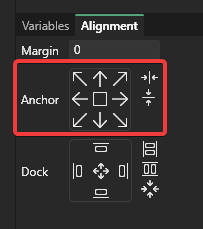
The Anchor section of the Alignment tab is used to adjust the variables on an instance for common layouts. All Anchor options adjust position-related variables, but do not adjust dimensions.

<figure><img src="/files/NM68Q8fF0yst3SwLsSQ5" alt=""><figcaption><p>Anchor Buttons</p></figcaption></figure>

Using the Anchor buttons does not toggle an anchor state, but rather modifies variables on the selected instances so that it is anchored to the correct side or center. This distinction has the following consequences:

* Anchoring behavior can be achieved by manually modifying variables - this tab does not add any additional behavior which is not already available through the Variables tab.
* Anchoring cannot be undone by toggling the anchor button. Pressing the anchor button multiple times results in the same variables being assigned multiple times. To undo anchoring, use the CTRL+Z shortcut for undo.

## Anchor Types

### Top Left

<table><thead><tr><th>Variable</th><th>Value</th><th data-hidden></th></tr></thead><tbody><tr><td>X</td><td>0</td><td></td></tr><tr><td>X Units</td><td>Pixels From Left</td><td></td></tr><tr><td>Y</td><td>0</td><td></td></tr><tr><td>Y Units</td><td>Pixels From Top</td><td></td></tr><tr><td>X Origin</td><td>Left</td><td></td></tr><tr><td>Y Origin</td><td>Top</td><td></td></tr></tbody></table>

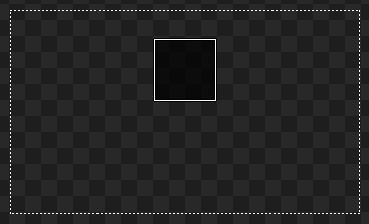
<figure><img src="/files/eP3Ee9YZZtJ8e1OCQW1B" alt=""><figcaption><p>Top Left Anchor</p></figcaption></figure>

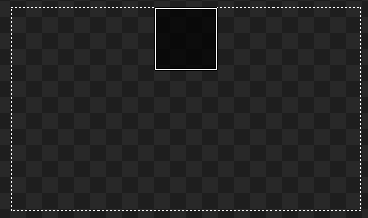
### Top

<table><thead><tr><th>Variable</th><th>Value</th><th data-hidden></th></tr></thead><tbody><tr><td>X</td><td>0</td><td></td></tr><tr><td>X Units</td><td>Pixels From Center</td><td></td></tr><tr><td>Y</td><td>0</td><td></td></tr><tr><td>Y Units</td><td>Pixels From Top</td><td></td></tr><tr><td>X Origin</td><td>Center</td><td></td></tr><tr><td>Y Origin</td><td>Top</td><td></td></tr></tbody></table>

<figure><img src="/files/VLV668AWYs5FdgPZRsIy" alt=""><figcaption><p>Top Anchor</p></figcaption></figure>

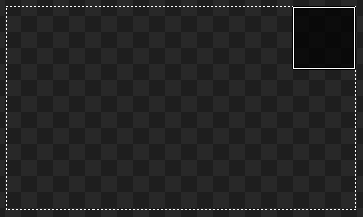
### Top Right

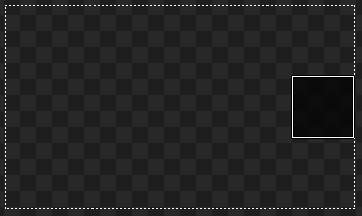
<table><thead><tr><th>Variable</th><th>Value</th><th data-hidden></th></tr></thead><tbody><tr><td>X</td><td>0</td><td></td></tr><tr><td>X Units</td><td>Pixels From Right</td><td></td></tr><tr><td>Y</td><td>0</td><td></td></tr><tr><td>Y Units</td><td>Pixels From Top</td><td></td></tr><tr><td>X Origin</td><td>Right</td><td></td></tr><tr><td>Y Origin</td><td>Top</td><td></td></tr></tbody></table>

<figure><img src="/files/bbufttqsP6D6JoDP0uSe" alt=""><figcaption><p>Top Right Anchor</p></figcaption></figure>

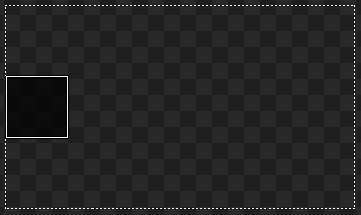
### Left

<table><thead><tr><th>Variable</th><th>Value</th><th data-hidden></th></tr></thead><tbody><tr><td>X</td><td>0</td><td></td></tr><tr><td>X Units</td><td>Pixels From Right</td><td></td></tr><tr><td>Y</td><td>0</td><td></td></tr><tr><td>Y Units</td><td>Pixels From Center</td><td></td></tr><tr><td>X Origin</td><td>Right</td><td></td></tr><tr><td>Y Origin</td><td>Center</td><td></td></tr></tbody></table>

<figure><img src="/files/00peEj38He9zvC0z6N0Y" alt=""><figcaption><p>Left Anchor</p></figcaption></figure>

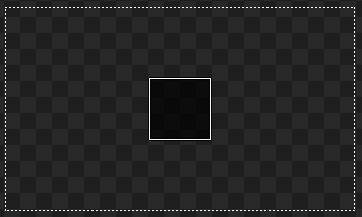
### Center

<table><thead><tr><th>Variable</th><th>Value</th><th data-hidden></th></tr></thead><tbody><tr><td>X</td><td>0</td><td></td></tr><tr><td>X Units</td><td>Pixels From Center</td><td></td></tr><tr><td>Y</td><td>0</td><td></td></tr><tr><td>Y Units</td><td>Pixels From Center</td><td></td></tr><tr><td>X Origin</td><td>Center</td><td></td></tr><tr><td>Y Origin</td><td>Center</td><td></td></tr></tbody></table>

<figure><img src="/files/pyDSWLAsoXJPia4hitkC" alt=""><figcaption><p>Center Anchor</p></figcaption></figure>

### Right

<table><thead><tr><th>Variable</th><th>Value</th><th data-hidden></th></tr></thead><tbody><tr><td>X</td><td>0</td><td></td></tr><tr><td>X Units</td><td>Pixels From Center</td><td></td></tr><tr><td>Y</td><td>0</td><td></td></tr><tr><td>Y Units</td><td>Pixels From Center</td><td></td></tr><tr><td>X Origin</td><td>Center</td><td></td></tr><tr><td>Y Origin</td><td>Center</td><td></td></tr></tbody></table>

<figure><img src="/files/knCCs1pST1lqdFBq85PZ" alt=""><figcaption><p>Right Anchor</p></figcaption></figure>

### Bottom Left

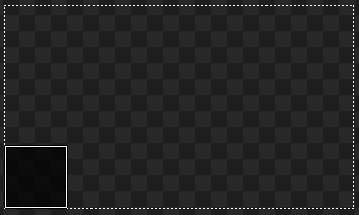
<table><thead><tr><th>Variable</th><th>Value</th><th data-hidden></th></tr></thead><tbody><tr><td>X</td><td>0</td><td></td></tr><tr><td>X Units</td><td>Pixels From Left</td><td></td></tr><tr><td>Y</td><td>0</td><td></td></tr><tr><td>Y Units</td><td>Pixels From Bottom</td><td></td></tr><tr><td>X Origin</td><td>Left</td><td></td></tr><tr><td>Y Origin</td><td>Bottom</td><td></td></tr></tbody></table>

<figure><img src="/files/N9HPapO8xnRxPaS3wMJW" alt=""><figcaption><p>Bottom Left Anchor</p></figcaption></figure>

### Bottom

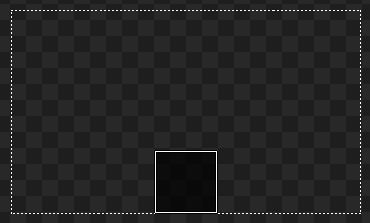
<table><thead><tr><th>Variable</th><th>Value</th><th data-hidden></th></tr></thead><tbody><tr><td>X</td><td>0</td><td></td></tr><tr><td>X Units</td><td>Pixels From Center</td><td></td></tr><tr><td>Y</td><td>0</td><td></td></tr><tr><td>Y Units</td><td>Pixels From Bottom</td><td></td></tr><tr><td>X Origin</td><td>Center</td><td></td></tr><tr><td>Y Origin</td><td>Bottom</td><td></td></tr></tbody></table>

<figure><img src="/files/oE7CZhPzXfxHUmkrtdvt" alt=""><figcaption><p>Bottom Anchor</p></figcaption></figure>

### Bottom Right

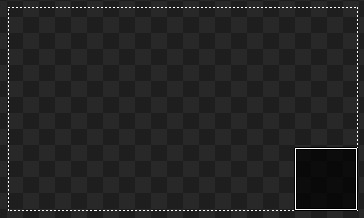
<table><thead><tr><th>Variable</th><th>Value</th><th data-hidden></th></tr></thead><tbody><tr><td>X</td><td>0</td><td></td></tr><tr><td>X Units</td><td>Pixels From Right</td><td></td></tr><tr><td>Y</td><td>0</td><td></td></tr><tr><td>Y Units</td><td>Pixels From Bottom</td><td></td></tr><tr><td>X Origin</td><td>Right</td><td></td></tr><tr><td>Y Origin</td><td>Bottom</td><td></td></tr></tbody></table>

<figure><img src="/files/Oc4dE11bLcYhFzVkMGxe" alt=""><figcaption><p>Bottom Right Anchor</p></figcaption></figure>

### Center Horizontally

<table><thead><tr><th>Variable</th><th>Value</th><th data-hidden></th></tr></thead><tbody><tr><td>X</td><td>0</td><td></td></tr><tr><td>X Units</td><td>Pixels From Center</td><td></td></tr><tr><td>X Origin</td><td>Center</td><td></td></tr></tbody></table>

<figure><img src="/files/M9FeF7fyrTrgL2yjJoEN" alt=""><figcaption><p>Center Horizontally Anchor</p></figcaption></figure>

### Center Vertically

<table><thead><tr><th>Variable</th><th>Value</th><th data-hidden></th></tr></thead><tbody><tr><td>Y</td><td>0</td><td></td></tr><tr><td>Y Units</td><td>Pixels From Center</td><td></td></tr><tr><td>Y Origin</td><td>Center</td><td></td></tr></tbody></table>

<figure><img src="/files/VxXwnQBKKlLoQqVGYVxT" alt=""><figcaption><p>Center Vertically Anchor</p></figcaption></figure>


---

# Agent Instructions: Querying This Documentation

If you need additional information that is not directly available in this page, you can query the documentation dynamically by asking a question.

Perform an HTTP GET request on the current page URL with the `ask` query parameter:

```
GET https://docs.flatredball.com/gum/gum-tool/gum-elements/general-properties/anchor.md?ask=<question>
```

The question should be specific, self-contained, and written in natural language.
The response will contain a direct answer to the question and relevant excerpts and sources from the documentation.

Use this mechanism when the answer is not explicitly present in the current page, you need clarification or additional context, or you want to retrieve related documentation sections.