> For the complete documentation index, see [llms.txt](https://docs.flatredball.com/gum/llms.txt). Markdown versions of documentation pages are available by appending `.md` to page URLs; this page is available as [Markdown](https://docs.flatredball.com/gum/code/monogame/ordering.md).
# Ordering
## Introduction
The visual and logical ordering of Gum instances is controlled by the order of a child in the parent's Children list. this order can be modified at runtime to re-order children. The order of children affects:
* Draw order - children earlier in the list are drawn behind children later in the list
* Cursor interaction order - children later in the list have first priority to respond to cursor events
* Stacking order - stacked children are drawn with the first children appearing top-most or left-most depending on the stacking order
* Grid order - children in a grid occupy cells with the first child occupying the first grid
## Order With Regular Layout
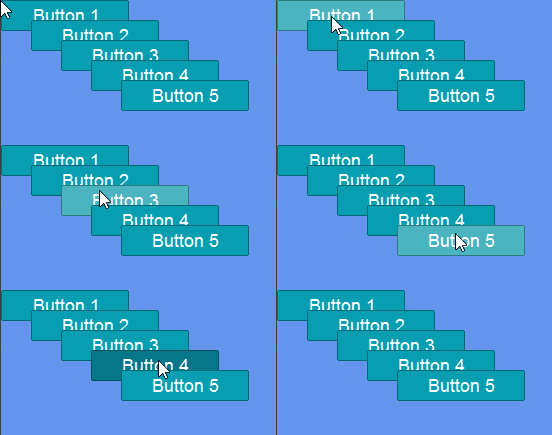
Children are drawn in order that they are added to their parent, with the last child appearing on top. The following code adds buttons in a loop. Notice that the last button appears on top:
```csharp
// Initialize
for(int i = 0; i < 5; i++)
{
var button = new Button();
button.AddToRoot();
button.X = i * 30;
button.Y = i * 20;
button.Text = "Button " + (i + 1);
}
```
Overlapping buttons - the topmost receives clicks
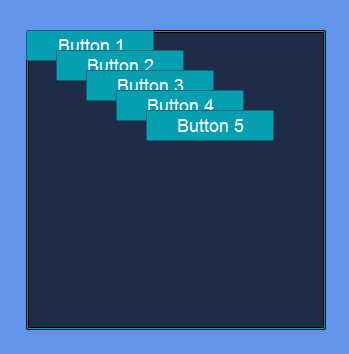
Similarly, children can be added to a control such as a window. The following code adds buttons to a Window rather than to the root:
```csharp
// Initialize
var window = new Window();
window.AddToRoot();
window.Width = 300;
window.Height = 300;
window.Anchor(Anchor.Center);
for (int i = 0; i < 5; i++)
{
var button = new Button();
window.AddChild(button);
button.X = i * 30;
button.Y = i * 20;
button.Text = "Button " + (i + 1);
}
```
Overlapping buttons in a Window
## Changing Order at Runtime
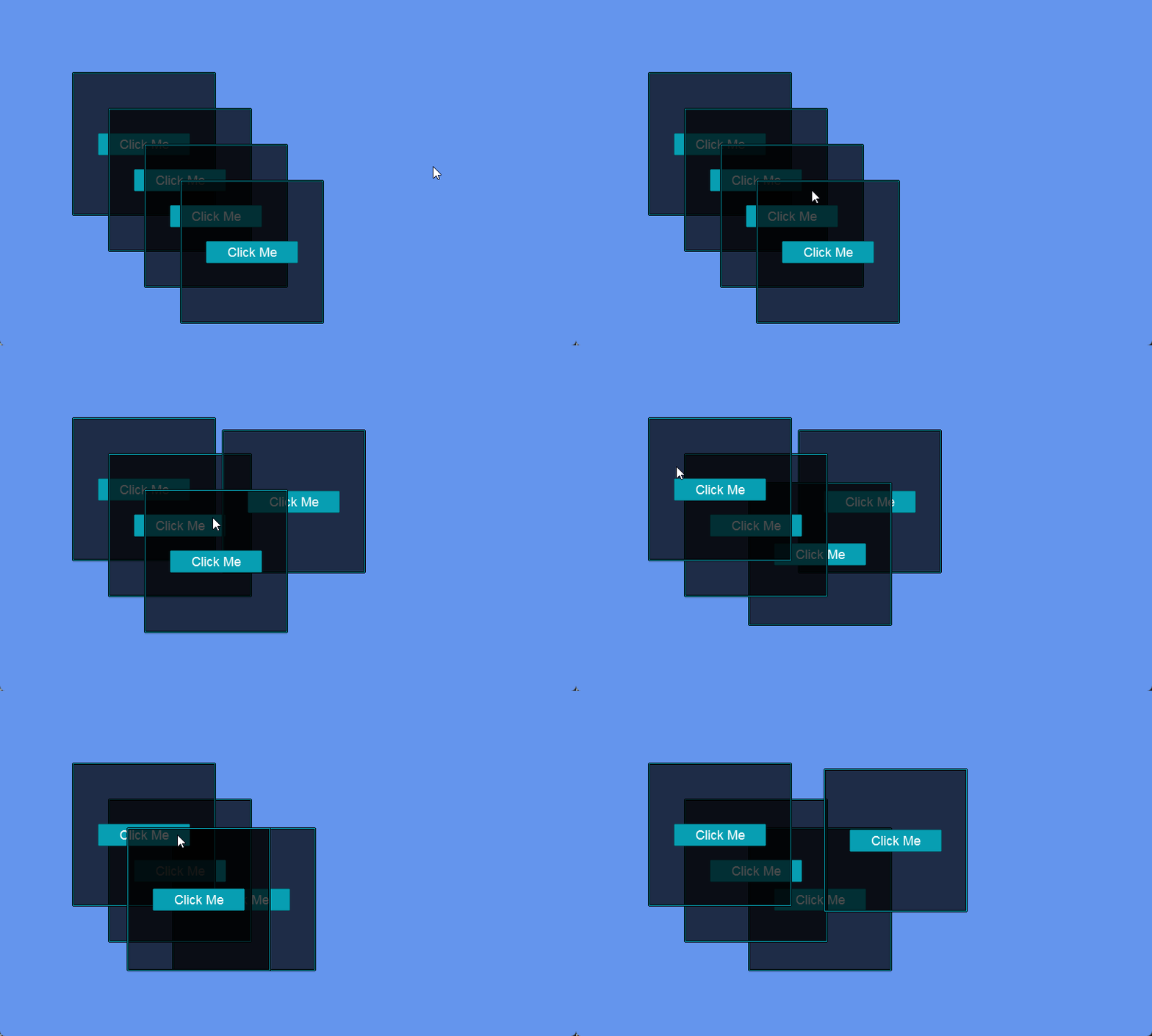
A child can be reordered at runtime, resulting in the visual ordering changing. This can be useful if your game includes floating windows which can be brought to the foreground. The following code creates
```csharp
// Class scope
List windows = new();
protected override void Initialize()
{
...
for (int i = 0; i < 4; i++)
{
CreateWindow(100 + i * 50, 100 + i*50);
}
}
void CreateWindow(int x, int y)
{
Window window = new Window();
window.Width = 200;
window.Height = 200;
window.X = x;
window.Y = y;
window.AddToRoot();
window.Visual.PushPreview += (_,_) => BringToFront(window);
var button = new Button();
window.AddChild(button);
button.Anchor(Anchor.Center);
button.Text = "Click Me";
}
private void BringToFront(Window window)
{
var root = GumUi.Root;
var currentIndex = root.Children.IndexOf(window.Visual);
root.Children.Move(currentIndex, root.Children.Count-1);
}
```
Windows being brought to font when pushed
---
# Agent Instructions
This documentation is published with GitBook. GitBook is the documentation platform designed so that both humans and AI agents can read, navigate, and reason over technical content effectively. Learn more at gitbook.com.
## Querying This Documentation
If you need additional information that is not directly available in this page, you can query the documentation dynamically by asking a question.
Perform an HTTP GET request on the current page URL with the `ask` query parameter, and the optional `goal` query parameter:
```
GET https://docs.flatredball.com/gum/code/monogame/ordering.md?ask=&goal=
```
`ask` is the immediate question: it should be specific, self-contained, and written in natural language.
`goal` is optional and describes the broader end goal you are ultimately trying to accomplish on behalf of the user. GitBook uses it to tailor the answer towards what is most useful for that goal.
The response will contain a direct answer to the question and relevant excerpts and sources from the documentation.
Use this mechanism when the answer is not explicitly present in the current page, you need clarification or additional context, or you want to retrieve related documentation sections.