> For the complete documentation index, see [llms.txt](https://docs.flatredball.com/gum/llms.txt). Markdown versions of documentation pages are available by appending `.md` to page URLs; this page is available as [Markdown](https://docs.flatredball.com/gum/code/events-and-interactivity/event-bounds-and-clipping.md).
# Event Bounds and Clipping
## Introduction
Gum raises events in response to the Cursor moving over the bounds of an object. This page discusses the details about event bounds.
## Default Behavior
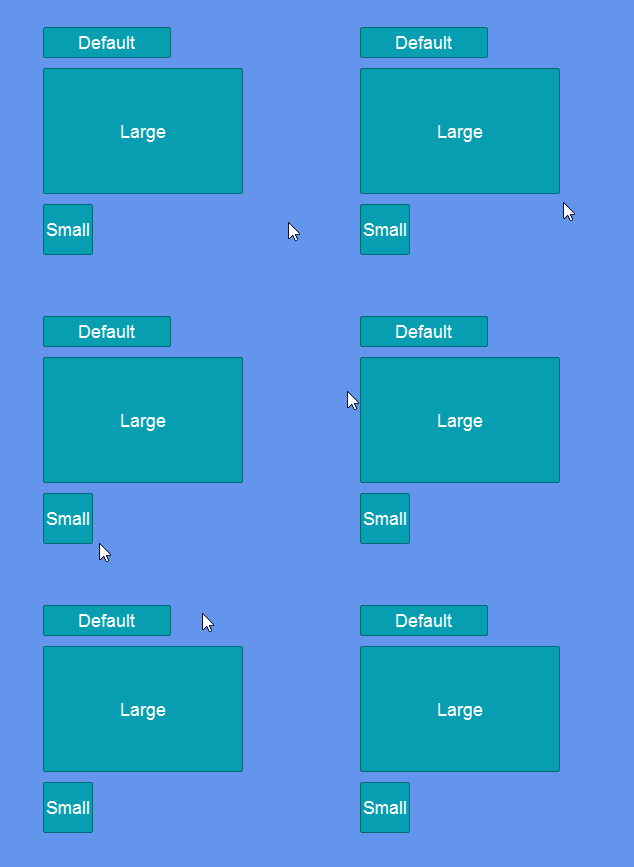
By default the bounds of an object are based on its size. That is, by changing an object's Height or Width, its bounds update in response to this change. We can see this by creating a few buttons of various size in a StackPanel.
```csharp
// Initialize
StackPanel panel = new ();
panel.AddToRoot();
panel.Spacing = 10;
panel.Anchor(Anchor.Center);
Button defaultButton = new();
panel.AddChild(defaultButton);
defaultButton.Text = "Default";
Button largeButton = new();
panel.AddChild(largeButton);
largeButton.Text = "Large";
largeButton.Width = 200;
largeButton.Height = 100;
Button smallButton = new();
panel.AddChild(smallButton);
smallButton.Text = "Small";
smallButton.Width = 50;
smallButton.Height = 25;
```
Buttons reacting to cursor hover
## Background Separate from Control
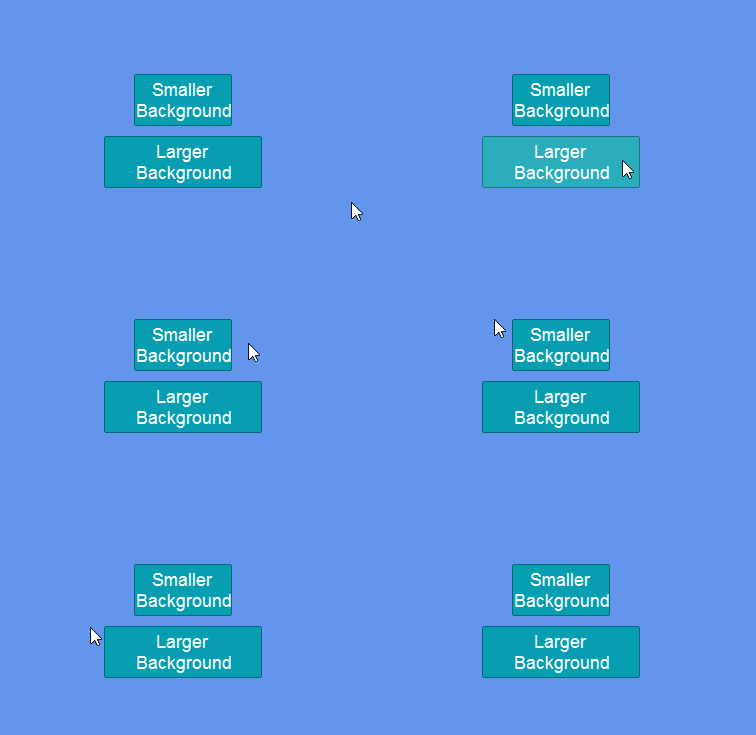
It might seem as if the background of the Button is deciding whether the Button should display its hover state, but we can show that the background is actually not responsible for this, but rather the entire Visual itself.
For example the following code creates two buttons. One button has a background that is smaller than the button, and one has a background that is larger - it spills over the edge.
```csharp
// Initialize
StackPanel panel = new ();
panel.AddToRoot();
panel.Spacing = 10;
panel.Anchor(Anchor.Center);
Button smallerBackgroundButton = new();
panel.AddChild(smallerBackgroundButton);
smallerBackgroundButton.Text = "Smaller Background";
var background = ((ButtonVisual)smallerBackgroundButton.Visual).Background;
background.WidthUnits = Gum.DataTypes.DimensionUnitType.RelativeToParent;
background.Width = -30;
Button largerBackgroundButton = new();
panel.AddChild(largerBackgroundButton);
largerBackgroundButton.Text = "Larger Background";
var background2 = ((ButtonVisual)largerBackgroundButton.Visual).Background;
background2.WidthUnits = Gum.DataTypes.DimensionUnitType.RelativeToParent;
background2.Width = 30;
```
Buttons with larger and smaller backgrounds
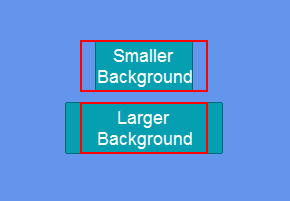
The code above sets the background widths relative to their parent. The smaller button shrinks the background by 30 pixels, which adds 15 pixel padding on each side. The larger button increases the background by 30 pixels, adding 15 pixels of spillover on each side.
We can visualize the actual bounds of the button as shown in the following image:
## Parent Bounds
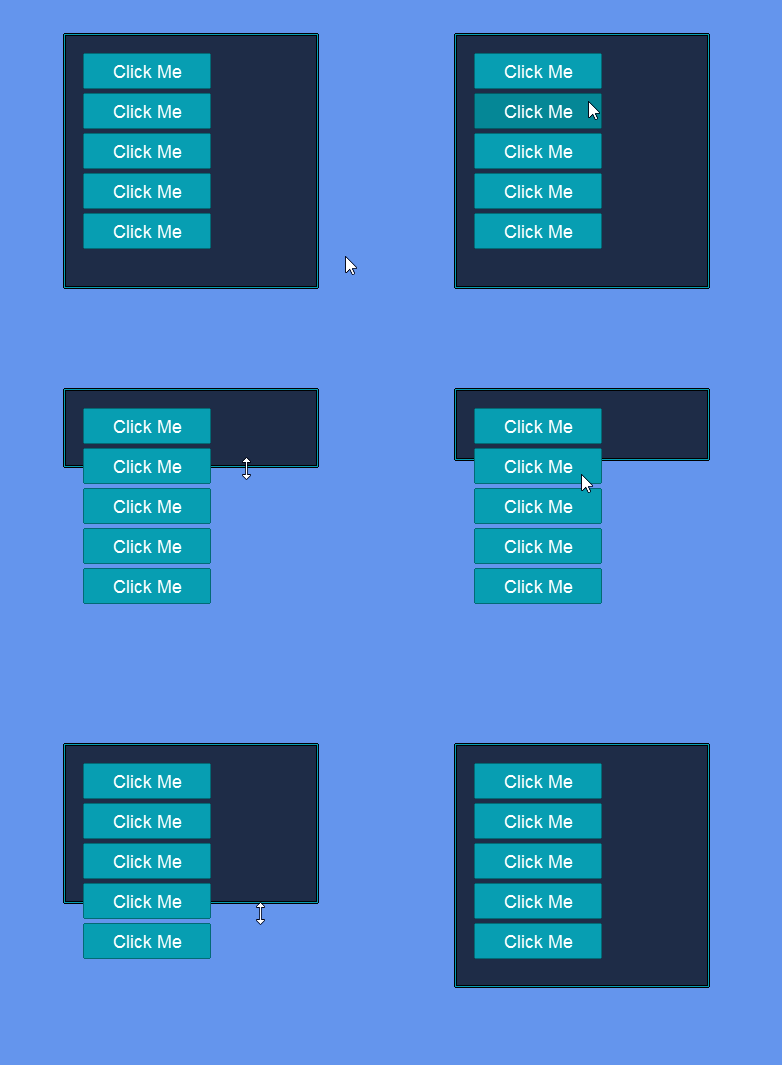
By default, children controls only respond to cursor events if they are in their parent bounds. If a child is either partly or completely outside of the bounds of its parent, it will not raise events.
The following code shows a few buttons added to a Window. Notice that only the buttons contained within the bounds of its parent respond to the Cursor.
```csharp
// Initialize
Window window = new ();
window.AddToRoot();
window.Anchor(Anchor.Center);
for(int i = 0; i < 5; i++)
{
Button button = new();
window.AddChild(button);
button.X = 20;
button.Y = 20 + i * 40;
button.Height = 36;
button.HeightUnits = Gum.DataTypes.DimensionUnitType.Absolute;
}
```
Buttons in a Window responding to Cursor actions
## Raising Events Outside of Parent Bounds
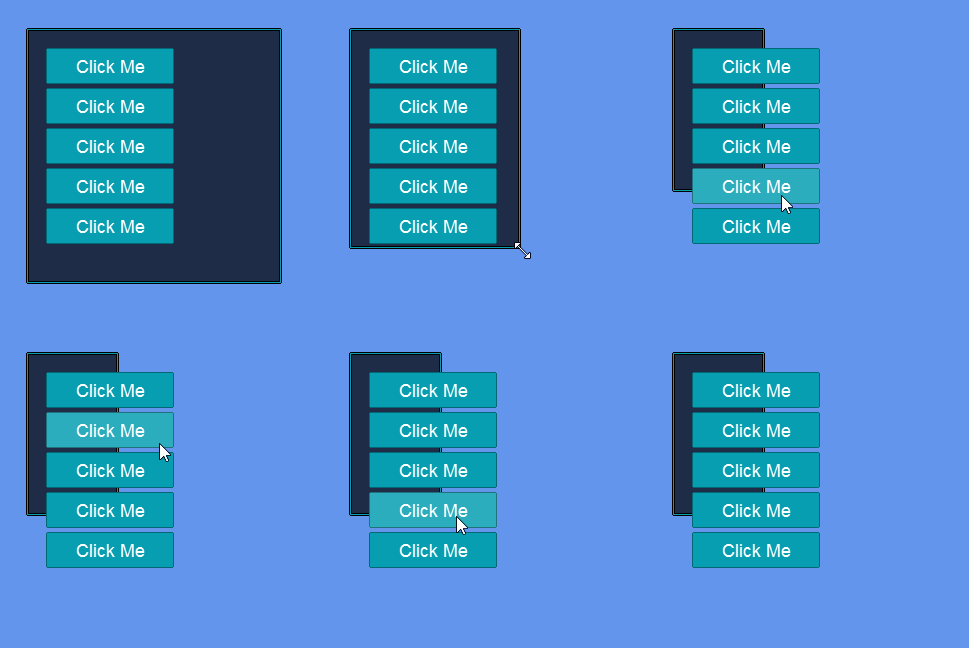
We can force a parent to still raise events on its children even if the children are placed outside of its bounds by setting the Visual's `RaiseChildrenEventsOutsideOfBounds` property to true. Keep in mind that some controls, such as Window, may have multiple layers of children.
Windows have an InnerPanel which is where children are added when AddChild is called. We can recursively set `RaiseChildrenEventsOutsideOfBounds` to `true` to make buttons react to Cursor actions even when the button bounds spill over the edge of the window as shown in the following code:
```csharp
// Initialize
Window parent = new ();
parent.AddToRoot();
parent.Anchor(Anchor.Center);
var innerPanel = parent.InnerPanel as InteractiveGue;
while(innerPanel != null)
{
innerPanel.RaiseChildrenEventsOutsideOfBounds = true;
// climb up the hierarchy so all parents allow
// checking out of bounds:
innerPanel = innerPanel.Parent as InteractiveGue;
}
for(int i = 0; i < 5; i++)
{
Button button = new();
parent.AddChild(button);
button.X = 20;
button.Y = 20 + i * 40;
button.Height = 36;
button.HeightUnits = Gum.DataTypes.DimensionUnitType.Absolute;
}
```
Children outside the bounds of a window responding to Cursor actions
## Event Bounds and Render Targets
If you are using a render target to offset or scale your game, then the cursor hit tests may not align with the final-drawn render target. To address this, a TransformMatrix can be assigned to the Cursor.
For more information and examples, see the [Cursor TransformMatrix](/gum/code/gum-code-reference/cursor/transformmatrix.md) page.
---
# Agent Instructions
This documentation is published with GitBook. GitBook is the documentation platform designed so that both humans and AI agents can read, navigate, and reason over technical content effectively. Learn more at gitbook.com.
## Querying This Documentation
If you need additional information that is not directly available in this page, you can query the documentation dynamically by asking a question.
Perform an HTTP GET request on the current page URL with the `ask` query parameter, and the optional `goal` query parameter:
```
GET https://docs.flatredball.com/gum/code/events-and-interactivity/event-bounds-and-clipping.md?ask=&goal=
```
`ask` is the immediate question: it should be specific, self-contained, and written in natural language.
`goal` is optional and describes the broader end goal you are ultimately trying to accomplish on behalf of the user. GitBook uses it to tailor the answer towards what is most useful for that goal.
The response will contain a direct answer to the question and relevant excerpts and sources from the documentation.
Use this mechanism when the answer is not explicitly present in the current page, you need clarification or additional context, or you want to retrieve related documentation sections.