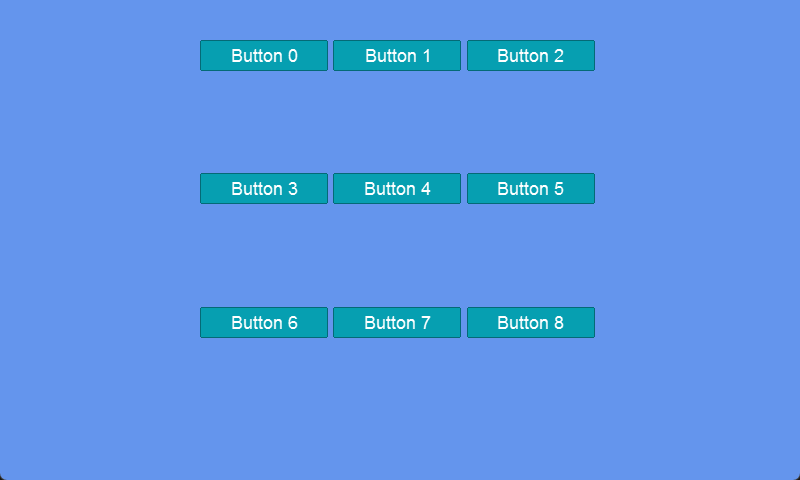
> For the complete documentation index, see [llms.txt](https://docs.flatredball.com/gum/llms.txt). Markdown versions of documentation pages are available by appending `.md` to page URLs; this page is available as [Markdown](https://docs.flatredball.com/gum/code/layout/grid.md).
# Grid
## Introduction
Gum supports adding children to a Panel in a grid layout. Unlike wrapped children in a stack, each cell in a grid is always the same size.
## Panels and Grids
Panels have the following behavior by default:
* Sized automatically according to their children (`WidthUnits` and `HeightUnits` both set to `RelativeToChildren`)
* No stacking or grid layout (`ChildrenLayout` set to `Regular`)
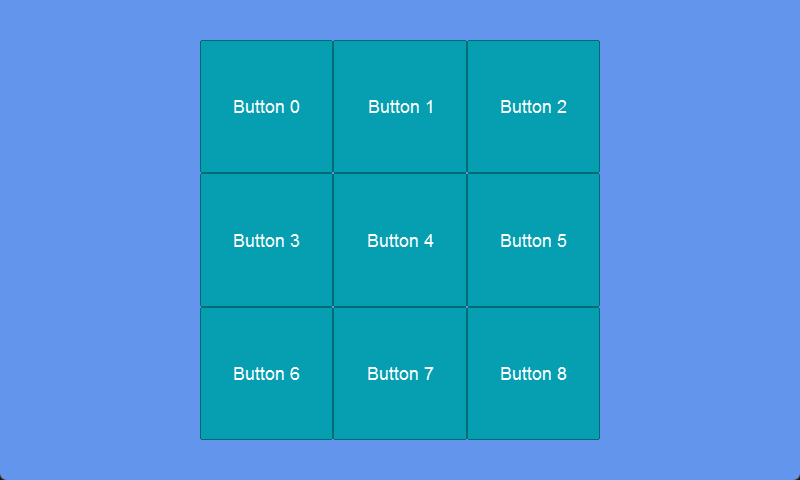
We can change this default behavior to create a grid as shown in the following code:
```csharp
// Initialize
var panel = new Panel();
panel.AddToRoot();
panel.Anchor(Gum.Wireframe.Anchor.Center);
panel.Height = 400;
panel.HeightUnits = Gum.DataTypes.DimensionUnitType.Absolute;
panel.Width = 400;
panel.WidthUnits = Gum.DataTypes.DimensionUnitType.Absolute;
var panelVisual = panel.Visual;
panelVisual.ChildrenLayout = Gum.Managers.ChildrenLayout.AutoGridHorizontal;
panelVisual.AutoGridHorizontalCells = 3;
panelVisual.AutoGridVerticalCells = 3;
for(int i = 0; i < 9; i++)
{
var button = new Button();
panel.AddChild(button);
button.Text = $"Button {i}";
}
```
Buttons in a grid
## Grid Cells as Parents
Children in a grid treat their cell as their direct parent. This means that Dock and Anchor calls are performed relative to the cell rather than the entire panel as shown in the following code:
// Initialize
var panel = new Panel();
panel.AddToRoot();
panel.Anchor(Gum.Wireframe.Anchor.Center);
panel.Height = 400;
panel.HeightUnits = Gum.DataTypes.DimensionUnitType.Absolute;
panel.Width = 400;
panel.WidthUnits = Gum.DataTypes.DimensionUnitType.Absolute;

var panelVisual = panel.Visual;
panelVisual.ChildrenLayout = Gum.Managers.ChildrenLayout.AutoGridHorizontal;
panelVisual.AutoGridHorizontalCells = 3;
panelVisual.AutoGridVerticalCells = 3;

for(int i = 0; i < 9; i++)
{
    var button = new Button();
    panel.AddChild(button);
    button.Dock(Gum.Wireframe.Dock.Fill);
    button.Text = $"Button {i}";
}
## Grid Overflow
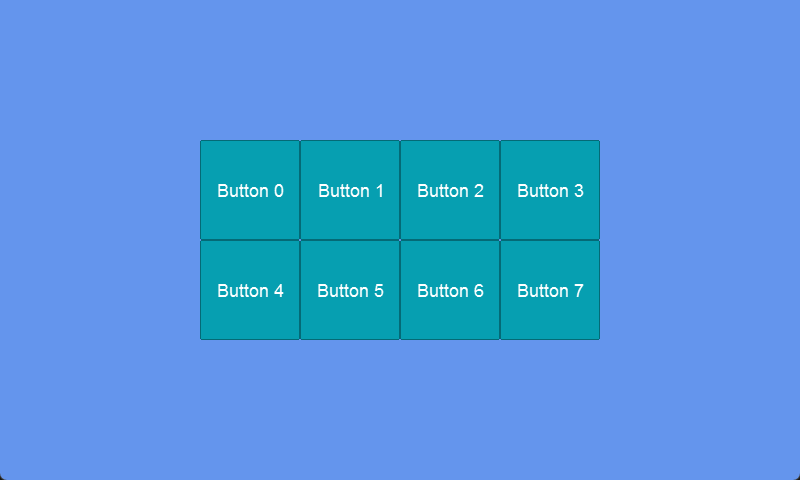
The `AutoGridHorizontalCells` and `AutoGridVerticalCells` properties determine the number of rows and columns in the grid. For example, the following code creates a grid with eight (8) cells:
```csharp
// Initialize
var panel = new Panel();
panel.AddToRoot();
panel.Anchor(Gum.Wireframe.Anchor.Center);
panel.Height = 200;
panel.HeightUnits = Gum.DataTypes.DimensionUnitType.Absolute;
panel.Width = 400;
panel.WidthUnits = Gum.DataTypes.DimensionUnitType.Absolute;
var panelVisual = panel.Visual;
panelVisual.ChildrenLayout = Gum.Managers.ChildrenLayout.AutoGridHorizontal;
panelVisual.AutoGridHorizontalCells = 4;
panelVisual.AutoGridVerticalCells = 2;
for(int i = 0; i < 8; i++)
{
var button = new Button();
panel.AddChild(button);
button.Dock(Gum.Wireframe.Dock.Fill);
button.Text = $"Button {i}";
}
```
Buttons in a grid with eight cells
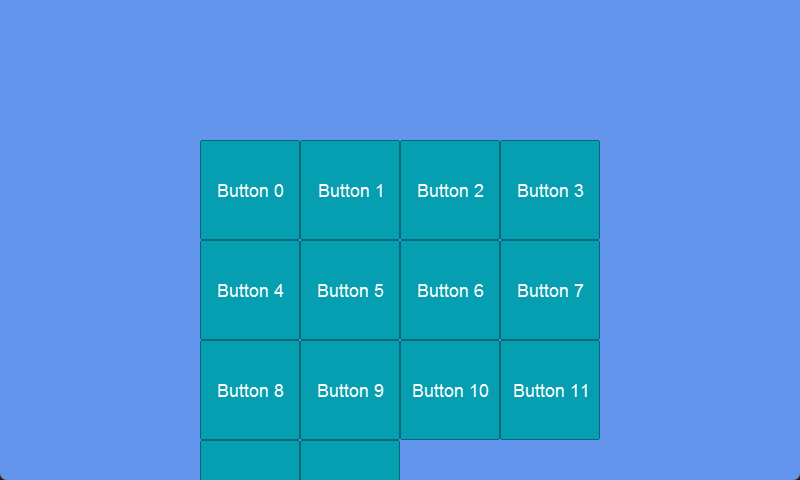
If additional buttons are added, they overflow the grid. Notice that the grid's size is not modified by the additional cells, so additional rows do not shift the grid up.
```csharp
// Initialize
var panel = new Panel();
panel.AddToRoot();
panel.Anchor(Gum.Wireframe.Anchor.Center);
panel.Height = 200;
panel.HeightUnits = Gum.DataTypes.DimensionUnitType.Absolute;
panel.Width = 400;
panel.WidthUnits = Gum.DataTypes.DimensionUnitType.Absolute;
var panelVisual = panel.Visual;
panelVisual.ChildrenLayout = Gum.Managers.ChildrenLayout.AutoGridHorizontal;
panelVisual.AutoGridHorizontalCells = 4;
panelVisual.AutoGridVerticalCells = 2;
for(int i = 0; i < 14; i++)
{
var button = new Button();
panel.AddChild(button);
button.Dock(Gum.Wireframe.Dock.Fill);
button.Text = $"Button {i}";
}
```
Grid with 8 cells with overflow
## Grid Sized to Children
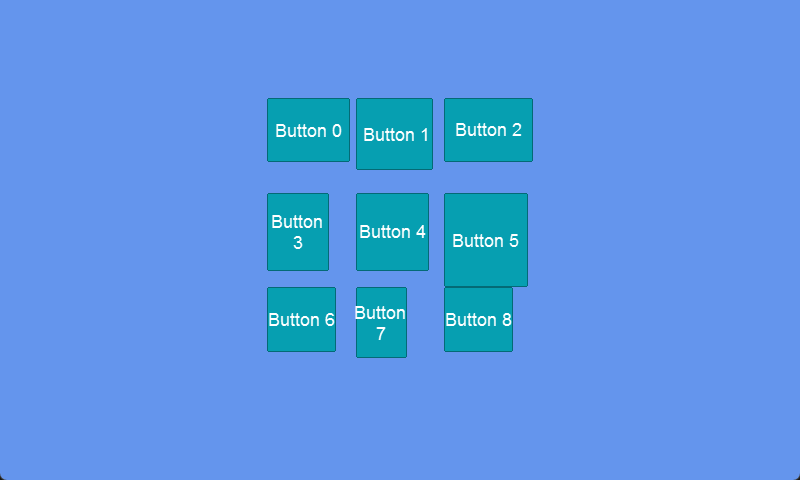
If a Panel is sized to its children, then the size of the grid is based on the largest cell. The following code creates a grid with nine (9) cells. The largest button decides the size of the cell. All cells in the grid match the largest size.
```csharp
// Initialize
var panel = new Panel();
panel.AddToRoot();
panel.Anchor(Gum.Wireframe.Anchor.Center);
panel.Dock(Gum.Wireframe.Dock.SizeToChildren);
var panelVisual = panel.Visual;
panelVisual.ChildrenLayout = Gum.Managers.ChildrenLayout.AutoGridHorizontal;
panelVisual.AutoGridHorizontalCells = 3;
panelVisual.AutoGridVerticalCells = 3;
for(int i = 0; i < 9; i++)
{
var button = new Button();
panel.AddChild(button);
button.Width = 50 + (float)Random.Shared.NextDouble() * 50;
button.WidthUnits = Gum.DataTypes.DimensionUnitType.Absolute;
button.Height = 50 + (float)Random.Shared.NextDouble() * 50;
button.HeightUnits = Gum.DataTypes.DimensionUnitType.Absolute;
button.Text = $"Button {i}";
}
```
Buttons sized randomly. The largest width and height determine the grid size
---
# Agent Instructions
This documentation is published with GitBook. GitBook is the documentation platform designed so that both humans and AI agents can read, navigate, and reason over technical content effectively. Learn more at gitbook.com.
## Querying This Documentation
If you need additional information that is not directly available in this page, you can query the documentation dynamically by asking a question.
Perform an HTTP GET request on the current page URL with the `ask` query parameter, and the optional `goal` query parameter:
```
GET https://docs.flatredball.com/gum/code/layout/grid.md?ask=&goal=
```
`ask` is the immediate question: it should be specific, self-contained, and written in natural language.
`goal` is optional and describes the broader end goal you are ultimately trying to accomplish on behalf of the user. GitBook uses it to tailor the answer towards what is most useful for that goal.
The response will contain a direct answer to the question and relevant excerpts and sources from the documentation.
Use this mechanism when the answer is not explicitly present in the current page, you need clarification or additional context, or you want to retrieve related documentation sections.